Analytics
Find out which clips worked, and make more like them
Views by clip, channel, game and moment, in one place. Then loopmojo suggests what to clip next.
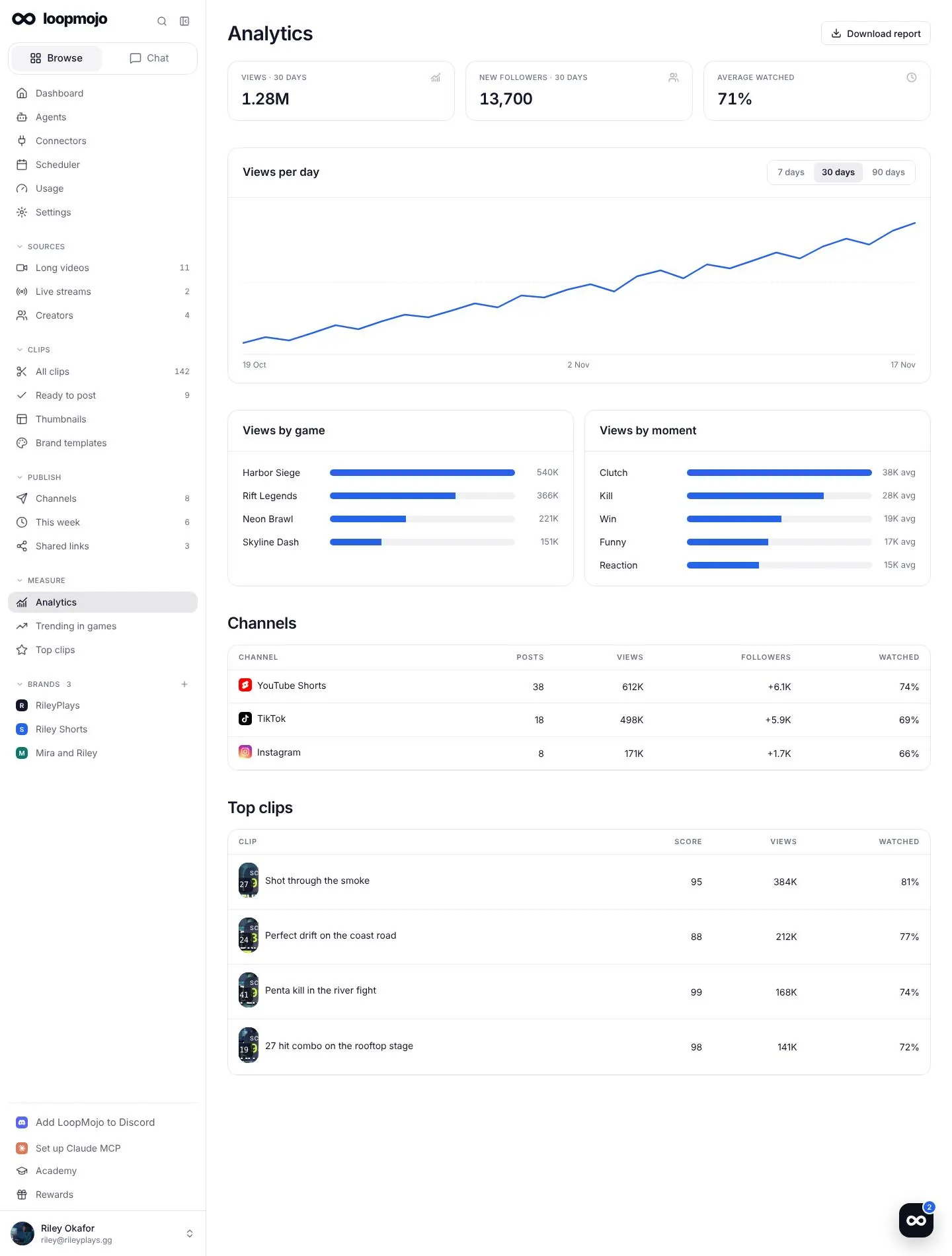
All channels, one number
Views across every channel
Stop opening six apps. See views, watch time and followers from every channel you post to.
- Daily, weekly and monthly
- By clip, channel and long video
- Export to CSV
What moments work
Which kind of moment gets views
Clutches or reactions? Advice or stories? See which moments get views, and set the Mojo Score to favour them.
- By moment, topic and game
- Hook length vs views
- Feeds back into Mojo Score
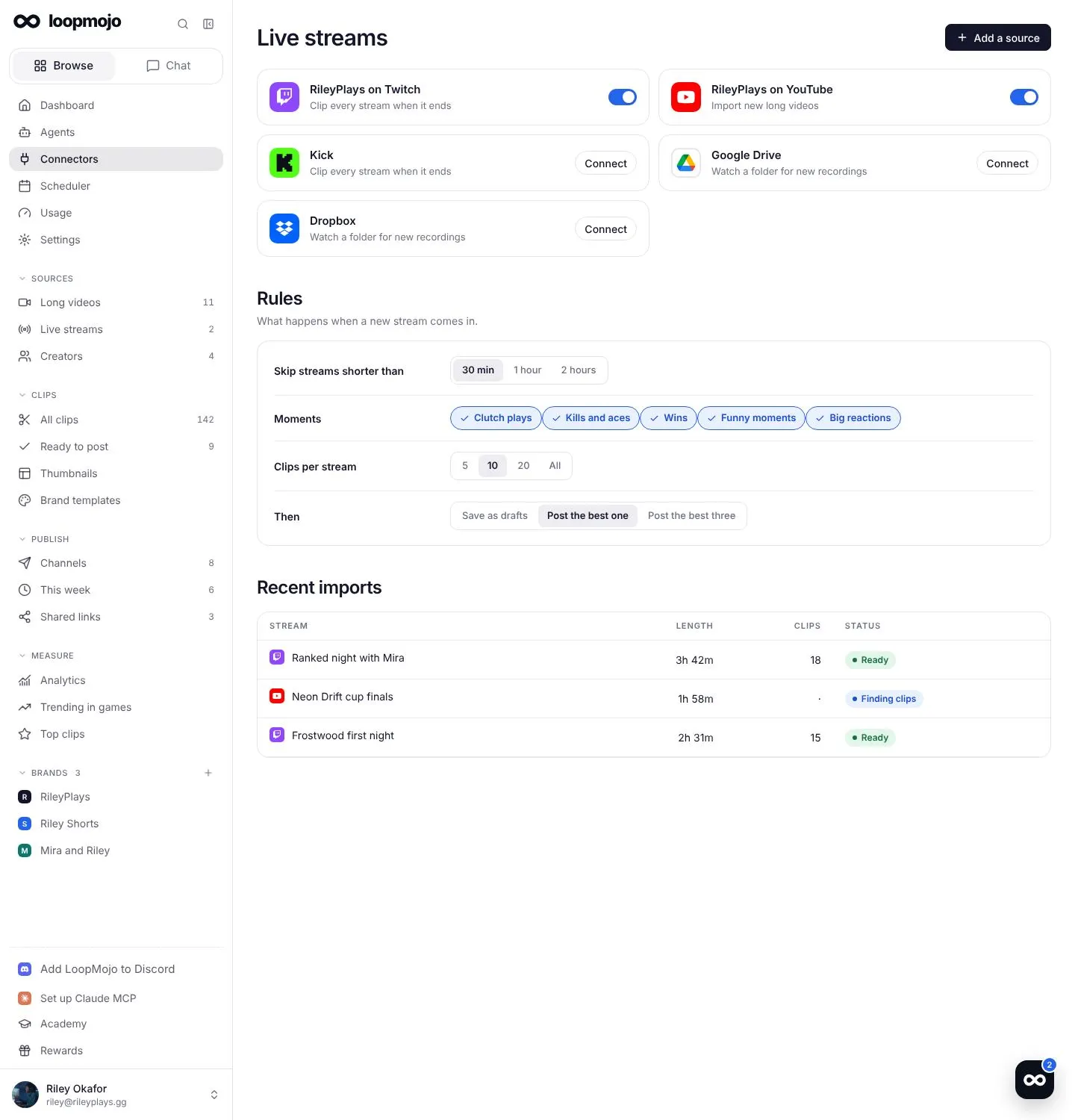
Live streams
Every stream clipped on its own
Connect Twitch, Kick or YouTube. When a stream ends, it is imported, clipped and ready to post.
- Auto import after each stream
- Clips ready in about 20 minutes
- Weekly report by email
Got a long video sitting there? Try it on that.
You get 60 free minutes every month. No card.
Works withZoom, Riverside or any video file